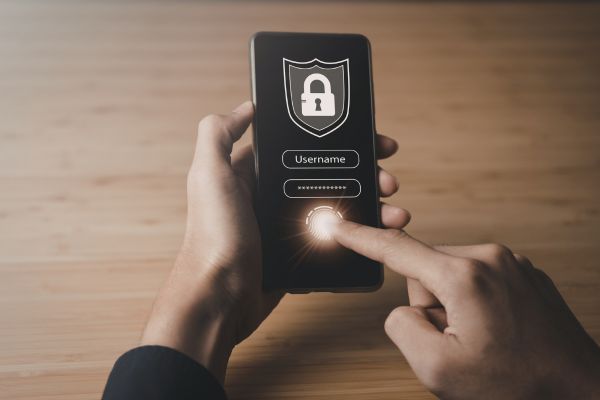
Your smartphone knows a lot about you. More than most people realize. It holds conversations, photos, passwords, financial apps, and little fragments of daily life that quietly add up to something deeply personal. Learning how to secure your smartphone isn’t just a technical exercise anymore—it’s a practical habit, like locking your front door before leaving home.
The challenge is that modern threats don’t always look like threats. They hide behind ordinary apps, harmless-looking links, or even familiar notifications. So securing your phone today isn’t about one big action. It’s about a series of small, consistent choices that work together.
Let’s walk through them.
Understanding Why Smartphone Security Matters More Than Ever
It’s easy to assume that only computers are targeted by hackers. That used to be true, more or less. But smartphones have quietly become the primary target, mainly because they’re always connected and always with us.
Think about how often your phone is unlocked during the day. Messages pop up, apps refresh, links get opened quickly without much thought. That constant interaction creates tiny windows of opportunity—moments when a careless tap can lead somewhere you didn’t intend to go.
The risk isn’t always dramatic. Sometimes it’s subtle. A compromised app might collect data quietly. A phishing message might look just convincing enough. The real danger is how normal everything feels.
Choosing a Strong Lock Screen Setup
The first layer of protection is still the simplest one: your lock screen.
A weak passcode is like leaving your door slightly open. It might seem harmless, but it lowers the effort required for someone to get in. Longer passcodes, or better yet alphanumeric passwords, create a meaningful barrier.
Biometric options like fingerprint or face unlock are convenient, and they’re generally secure—but they shouldn’t replace a strong backup passcode. If anything, they work best together.
There’s also something people overlook: auto-lock timing. If your phone stays unlocked for too long when idle, it increases the risk of unauthorized access. Setting it to lock quickly—within 30 seconds or a minute—adds a quiet layer of protection without changing your routine too much.
Keeping Software Updated Without Delay
Updates often feel like interruptions. You’re in the middle of something, and suddenly there’s a prompt asking to restart your phone. It’s tempting to delay it.
But those updates are rarely just about new features. Most of the time, they patch vulnerabilities that have already been discovered. That means if you delay updates, you’re leaving known weaknesses exposed.
One of the easiest ways to strengthen your phone’s defenses is to turn on automatic updates. It removes the decision entirely. You don’t have to think about it, and your device stays protected in the background.
Being Selective About App Downloads
One of the most practical ways to understand how to secure your smartphone is to rethink how apps are installed.
Every app you download asks for a level of trust. Some deserve it. Others don’t.
Official app stores are generally safer, but even there, not every app is equally reliable. It helps to pause for a moment before installing something. Look at the developer, check reviews—not just the rating, but the actual comments. Sometimes you can spot patterns that suggest something isn’t right.
Permissions matter too. If a simple flashlight app asks for access to your contacts or microphone, that’s a sign worth questioning. Not every permission request is malicious, but unnecessary access should always raise an eyebrow.
Managing Permissions with More Awareness
Permissions tend to be accepted quickly, almost automatically. It’s part of how we use phones—tap “Allow” and move on.
But over time, apps accumulate access to things they may not need anymore. Location, camera, storage, contacts—it adds up quietly in the background.
Taking a few minutes to review permissions can be surprisingly revealing. You might find apps that have more access than they should. Adjusting those settings doesn’t break your phone. It simply puts you back in control.
There’s something oddly satisfying about it too—like cleaning out a cluttered drawer you didn’t realize was full.
Recognizing Phishing Attempts in Everyday Use
Phishing isn’t always obvious anymore. It doesn’t always look like a poorly written email with strange grammar.
Sometimes it’s a message that looks like it came from a delivery service. Or a banking alert that feels urgent. Or even a link sent by someone you know whose account has been compromised.
The key is hesitation. Not fear—just a brief pause before tapping.
If a message asks for immediate action, especially involving personal or financial information, that’s the moment to slow down. Instead of clicking the link, open the official app or website directly. It’s a small habit, but it avoids a surprising number of problems.
Using Secure Networks and Avoiding Risky Connections
Public Wi-Fi is convenient. Airports, cafes, hotels—they all offer it. But convenience often comes with trade-offs.
Open networks can expose your data to interception, especially if they’re not properly secured. While not every public network is dangerous, it’s safer to assume that they’re not private.
If you need to use public Wi-Fi, avoid accessing sensitive accounts. No banking, no entering passwords if possible. Mobile data is often the safer choice for those moments.
Another small habit that helps: turning off automatic Wi-Fi connections. It prevents your phone from joining unknown networks without your awareness.
Enabling Find My Device and Remote Protection Features
Losing a phone is stressful. Not just because of the cost, but because of everything inside it.
Most modern smartphones come with built-in features that allow you to locate, lock, or erase your device remotely. These tools are incredibly useful—but only if they’re enabled beforehand.
It takes just a few minutes to set up. Once active, it gives you a safety net. If your phone is lost or stolen, you still have a way to protect your data from a distance.
It’s one of those features you hope you never need, but you’ll be glad it’s there if you do.
Backing Up Data as a Security Habit
Security isn’t only about preventing access. It’s also about recovery.
If something goes wrong—a device is lost, damaged, or compromised—having a backup means you don’t lose everything with it.
Cloud backups are the easiest option for most people. They happen automatically, quietly syncing your photos, contacts, and important data.
Local backups, on the other hand, give you more control. Some people prefer them for that reason. Either way, the goal is the same: making sure your data exists somewhere beyond your phone.
It’s less about technology and more about peace of mind.
Staying Mindful of Everyday Digital Behavior
Ultimately, learning how to secure your smartphone isn’t about memorizing rules. It’s about developing awareness.
Security lives in small decisions. Whether you update your phone promptly. Whether you question a strange link. Whether you review app permissions once in a while.
These actions don’t feel dramatic. They don’t take much time. But together, they create a strong, quiet layer of protection.
And that’s really the goal—not to make your phone difficult to use, but to make it safer without changing how you live.
Conclusion
Your smartphone is more than just a device. It’s a companion that carries pieces of your daily life, often without you noticing how much it holds.
Securing it doesn’t require advanced knowledge or complicated tools. It comes down to consistent habits—choosing stronger passcodes, keeping software updated, being thoughtful about apps and permissions, and staying aware of how you interact with your device.
Once these habits settle in, they become second nature. You stop thinking about them, and yet they continue working quietly in the background.
That’s the real essence of learning how to secure your smartphone in 2026—not perfection, but awareness, built into everyday use.